Understanding Connection Status Alerts
Learn what the connection status banner means and what to do when it appears while you're using Stokkd.
What Is the Connection Status Banner?
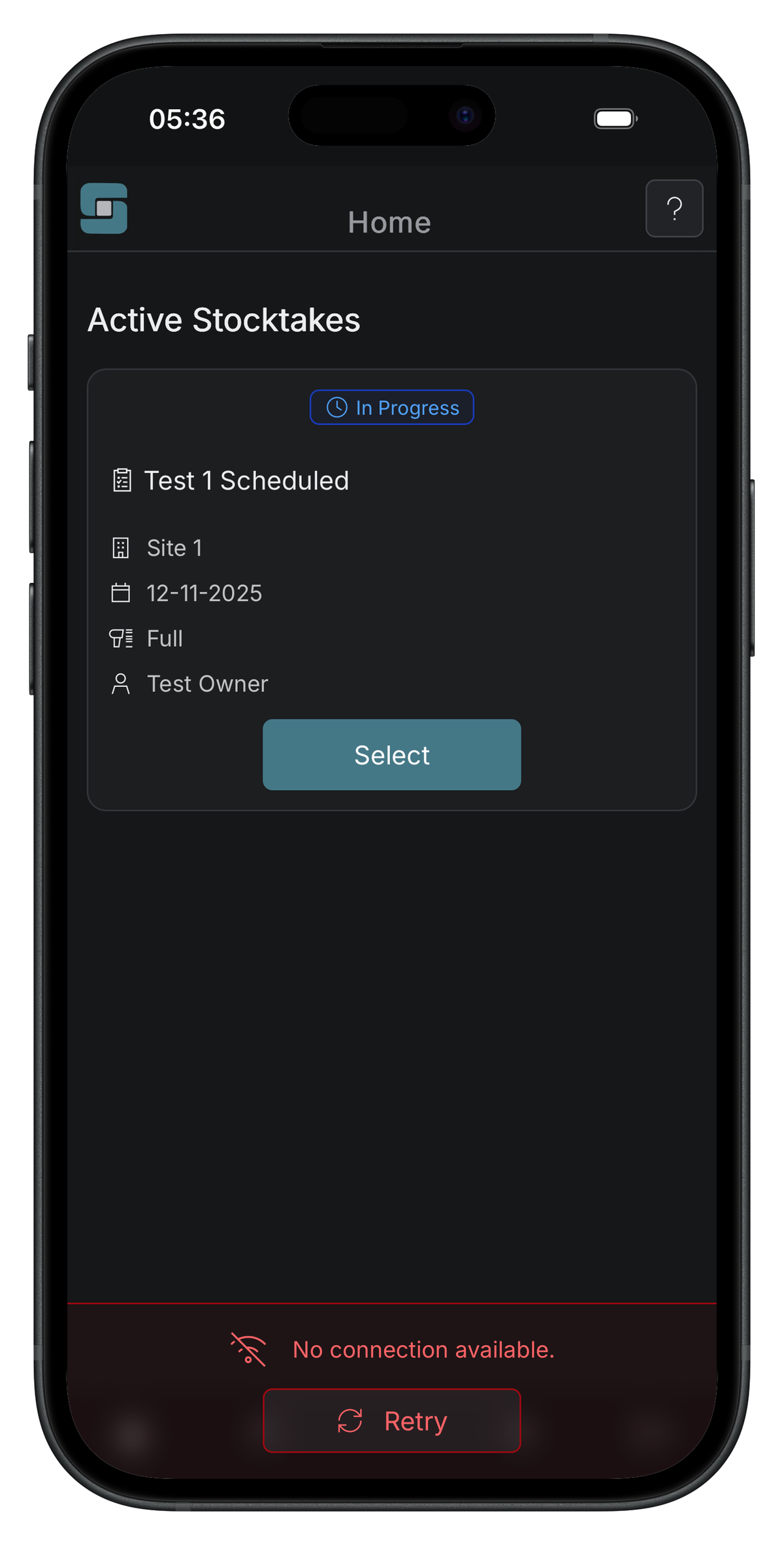
Stokkd continuously checks whether your device can actually reach the server — not just whether your device thinks it’s online. When that check fails, or your device is switching between WiFi and mobile data, a banner appears at the bottom of the screen.
This banner appears on every screen except the mobile scan page. While actively scanning, connection issues are shown differently — see Connection Interruptions While Scanning for that behavior.
Why It Matters
Checking real server reachability (rather than trusting your device’s WiFi indicator) means Stokkd can warn you even when your device looks connected but isn’t — for example, on a WiFi network that requires a login page, or one with no real internet access. Knowing what the banner means helps you decide whether to keep working or wait for it to clear.
How It Works
The banner has two states:
- Reconnecting (spinner icon): Your device is switching networks or the app is re-verifying a connection. This is temporary and usually clears within a few seconds — no action needed.
- Connection lost (icon +
Retrybutton): The app has confirmed there’s no usable connection. Some features may be unavailable until you reconnect. Once you have signal, tapRetryto trigger an immediate check.
When your connection is restored, a confirmation notification briefly appears near the top of the screen.
Tips & Best Practices
- Keep mobile data enabled as a fallback on your phone or tablet — this allows a seamless handoff if WiFi drops.
- Don’t rush during the spinner state — the app is actively verifying the new connection and typically recovers on its own.
- Use the
Retrybutton rather than refreshing the page — refreshing resets your active session context.
Having issues? See the Connection & Network Troubleshooting guide for solutions to persistent banners, false positives, and platform-specific quirks.